TL;DR
When upgrading a Synology NAS to DSM 5.2 and enabling SMB v3, existing network connections and mapped drives require manual remediation to function correctly.
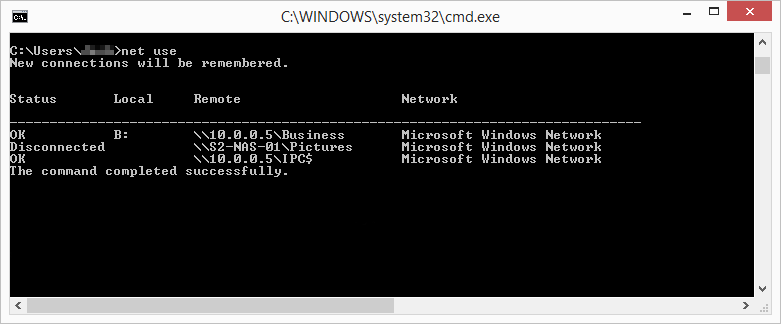
- Opening SMB v3 may cause disconnected or hung sessions, necessitating the manual deletion of stale connections using commands like net use /DELETE.
- If connectivity fails after switching to SMB v3, the issue may be resolved by simply reverting to SMB v2 to confirm network stability.
- When setting up shared access, always attempt manual mapping using the net use command, as simply reopening a connection may trigger an "access denied" error.