Observium CE Geolocation Issues
November 8, 2016
TL;DR
Observium CE geolocation issues, often resulting in incorrect device mapping, can be resolved by changing the default geocoding service provider.
- The primary fix requires modifying the Observium configuration file to switch the geocoding API to 'google'.
- This involves adding or updating the line $config['geocoding']['api'] = 'google'; in the specified config file.
- After updating the configuration, users must navigate to the device's geolocation tab and select Reset GEO location.
- The system will then attempt to pull accurate location data during the next poll cycle, updating the displayed maps.
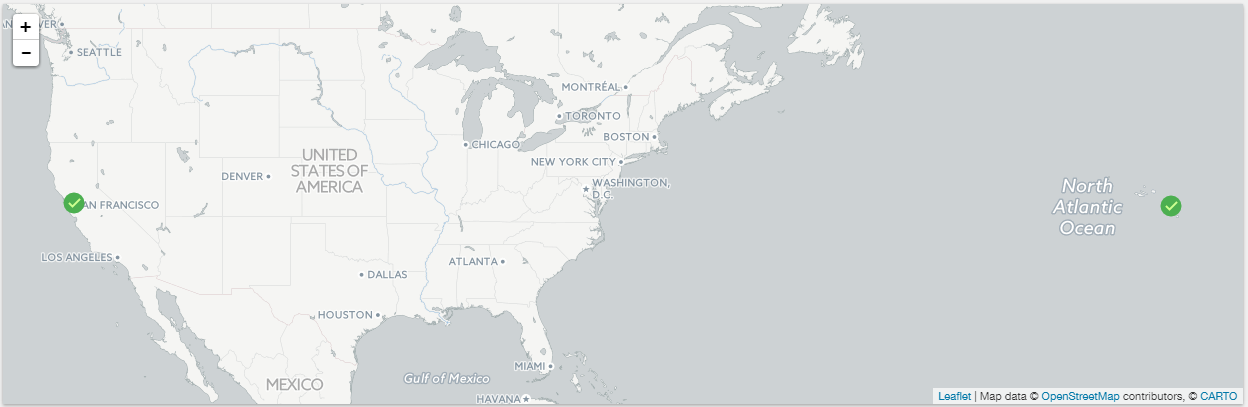
I recently ran into some issues where Observium CE (version 0.16.10.8128) was not updating the geolocation of devices correctly and this was making the maps on the landing page look bad by show devices in the middle of the ocean.
Here's how I fixed it.
First off, what was wrong was that the geolocation service that was being used wasn't updating correctly and I'm not sure why that is. So when looking at the geolocation tab for the device, there was only partial information, the location, and the last updated date... everything else was blank or incorrect.
To get to the Geolocation tab, select a device, go to the Gear icon on the right, then select properties. Then select the geolocation option.
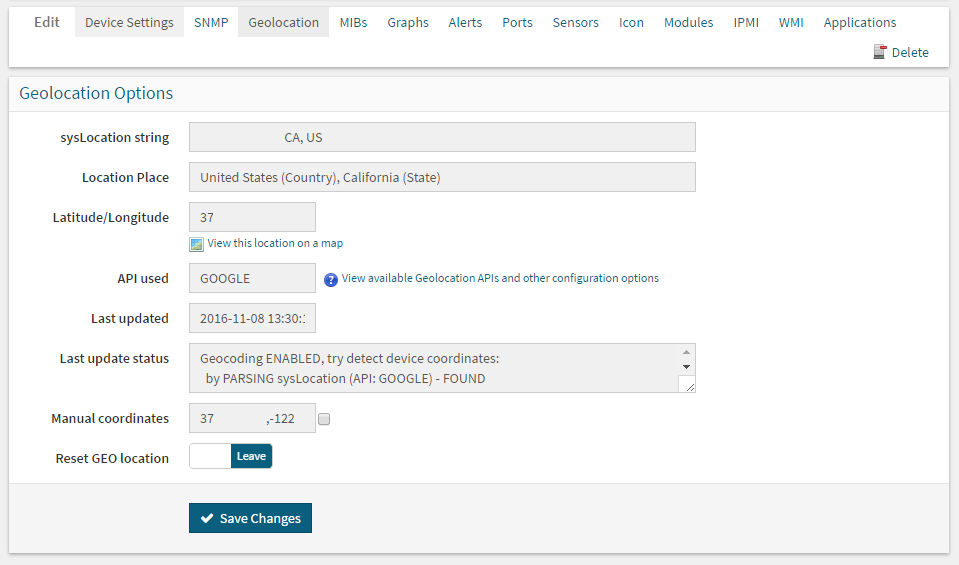
Once there, if things are correctly populated, everything should show OK on the map. If it's not, the map will get a little crazy (lots of Unknown things). Generally this information should all be based on the location information returned by your device via SNMP, then a geolocation lookup to get geo coordinates to use for the map. You can override the location information that is used location on the Device Settings tab.
So, to actually correct this, because the Yahoo geolocation service wasn't updating I decided to change it... That is a simple setting tweak in the settings (Settings Info Here).
To change over to the Google geolocation service, supported by default, you simply need to add
$config['geocoding']['api'] = 'google'; to your configuration file located in /opt/observium/config.php.Once that configuration information is updated, simply go back int Observium (on the geolocation tab for the device), and click on the Reset GEO location option and press save. During the next poll the system will try and use the new geolocation service to update the location information.
If all of that works, the map should update correctly and all should be good.
That is what ended up working for me, hope that helps someone else!