Windows 10 USB Hub Error Code 43
usb-device-error-43
TL;DR
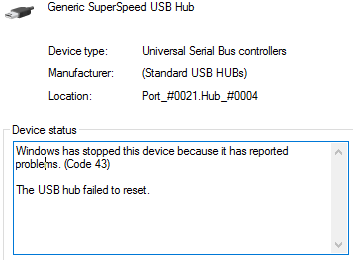
To resolve the Windows Code 43 error on a USB hub, follow a series of escalating hardware and software troubleshooting steps, culminating in a potential CMOS reset.
- First, ensure you have the latest drivers installed from the manufacturer's website, and attempt to uninstall the problematic device via Device Manager.
- If the error persists, the next step is to perform a CMOS reset; this involves clearing the motherboard's settings to potentially clear residual errors.
- If software fixes fail, consider physical maintenance by dusting the computer and checking for faulty or poorly connected USB peripherals.
- As a final measure, contact motherboard support for guidance regarding a warranty replacement or an RMA (Return Merchandise Authorization).